Features Screenshots Download FAQ Support Launch App

Smart Wardrobe Tracking
Made Simple

Track wear counts, manage washes, and organize your clothing with intelligent color-coded insights. 100% offline and privacy-first.

Try Web App Get Mobile App
🔒 100% Offline · No Account Needed

Wear & Wash Tracking

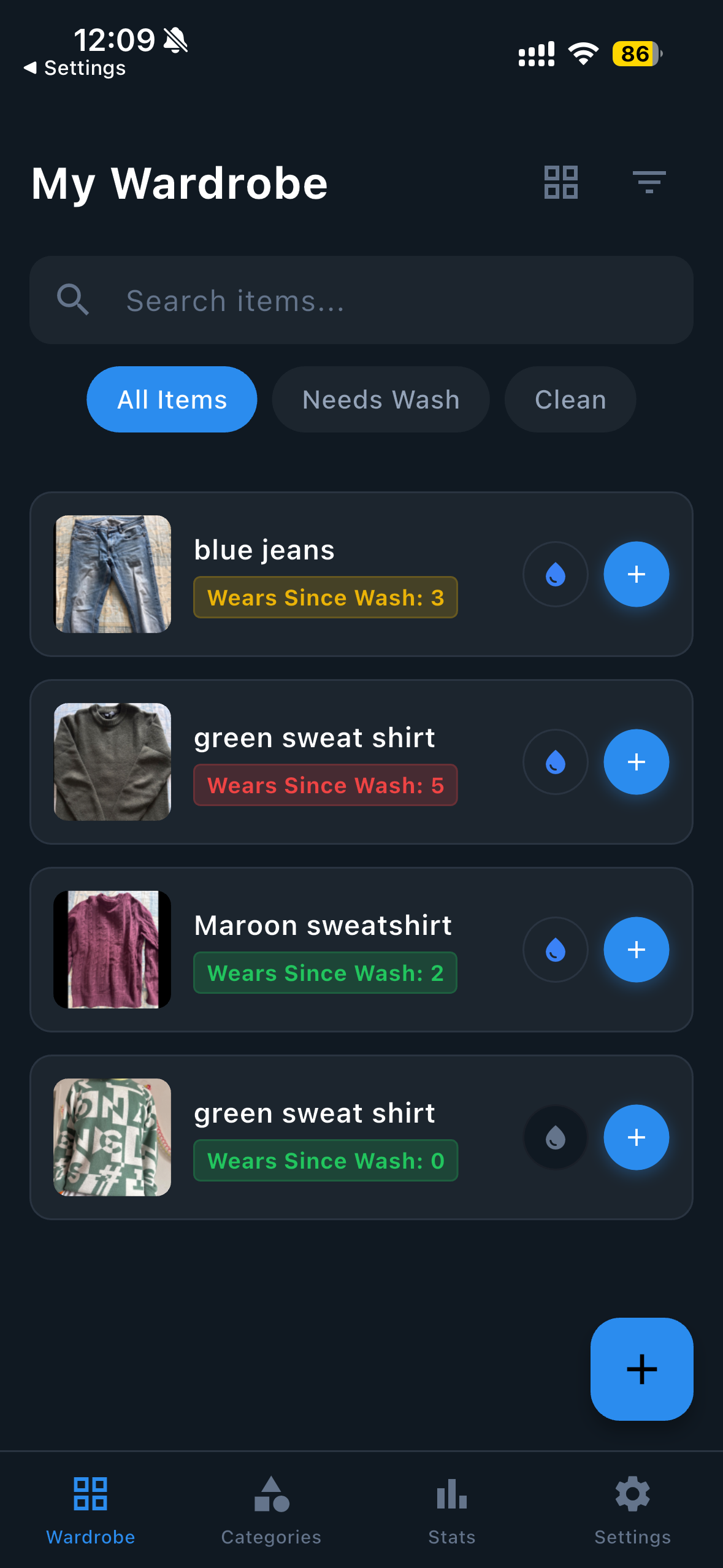
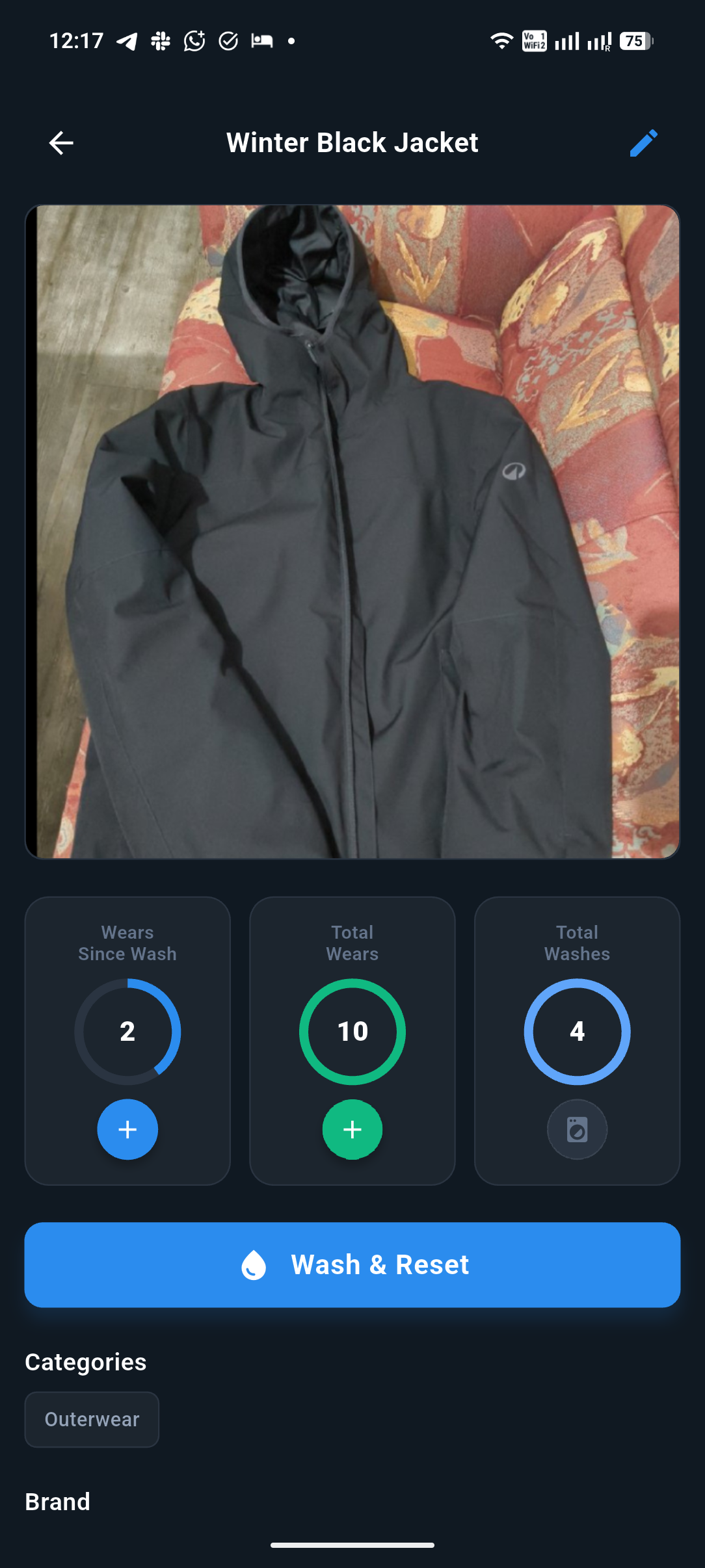
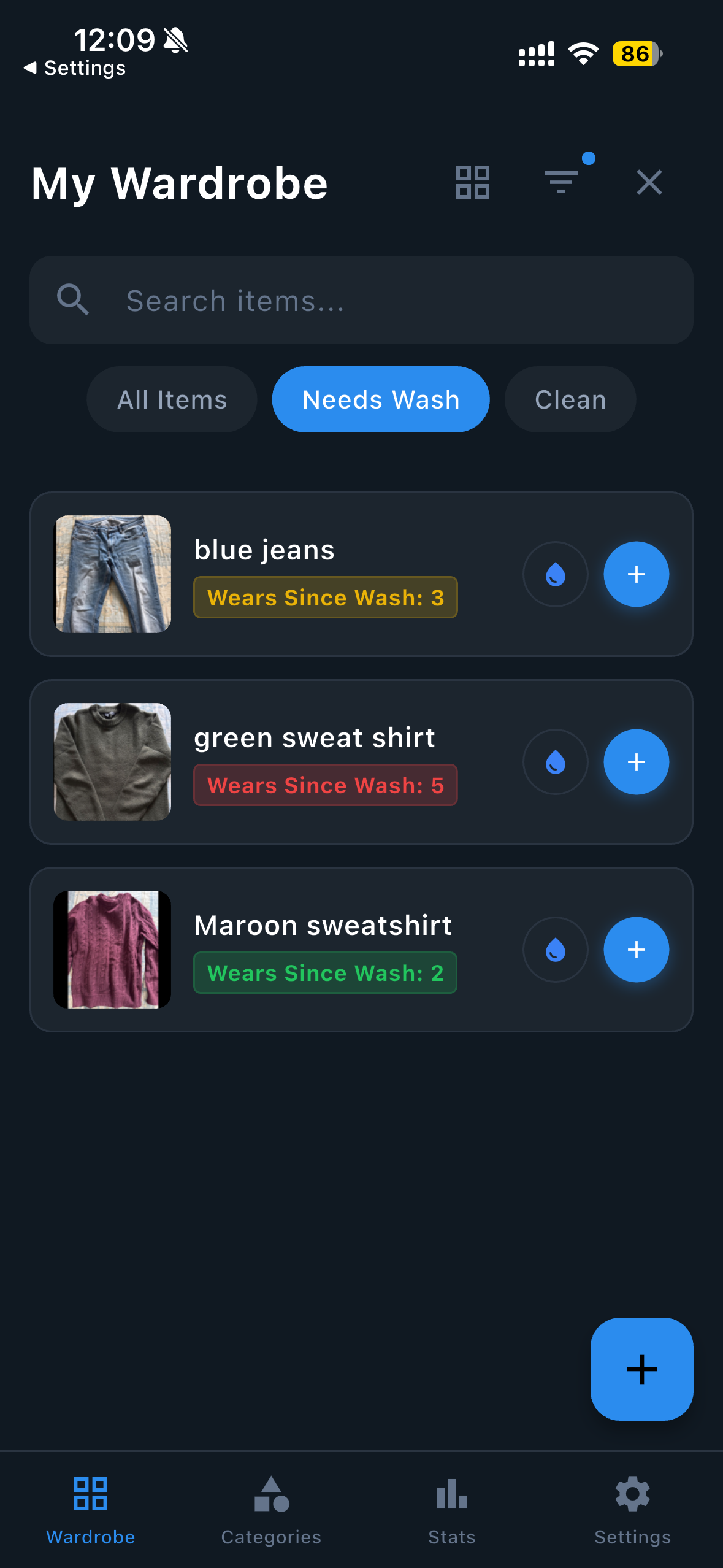
Track how many times you've worn each item since its last wash. One tap to log a wear, one tap to reset after washing. Color-coded insights show you at a glance which clothes need washing — green means fresh, yellow means getting there, red means it's time.

Explore all features →
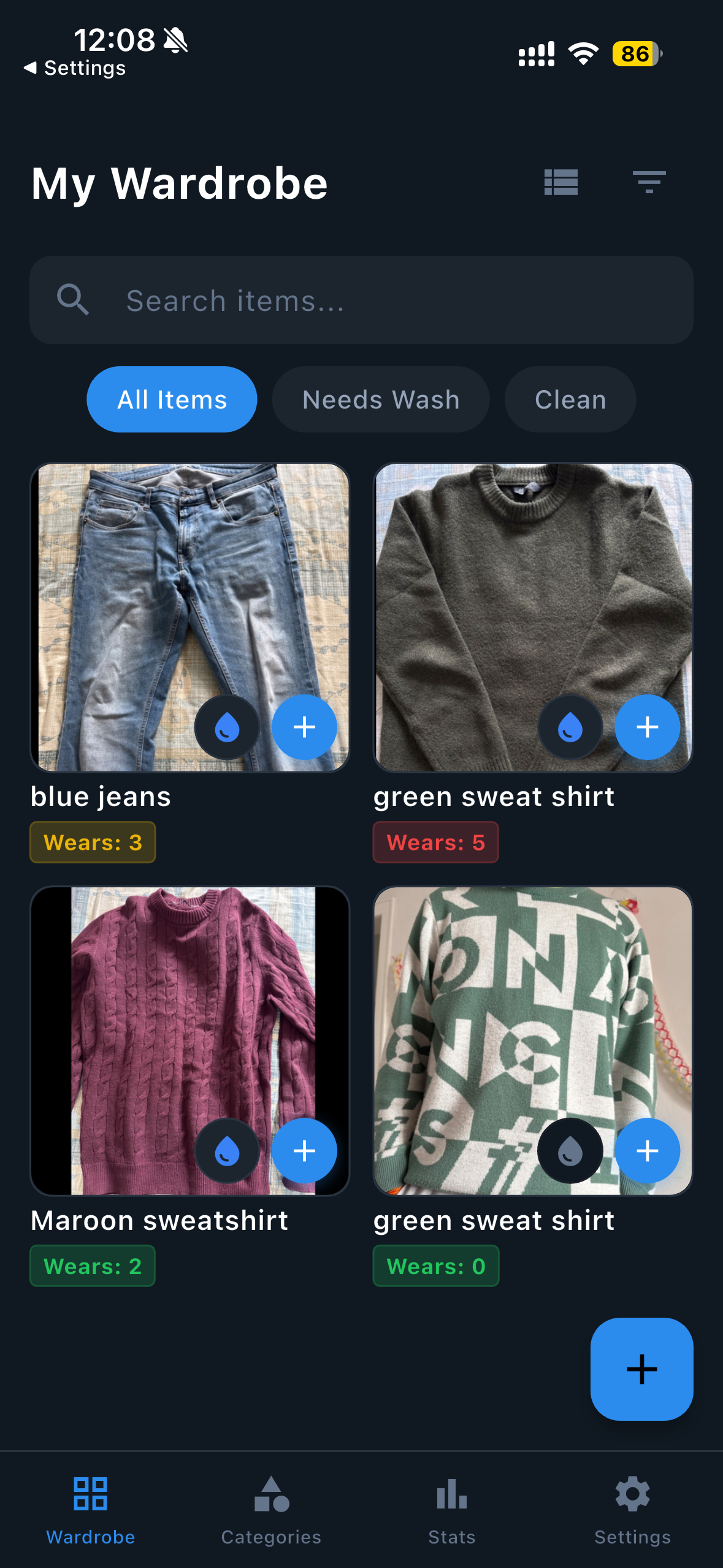
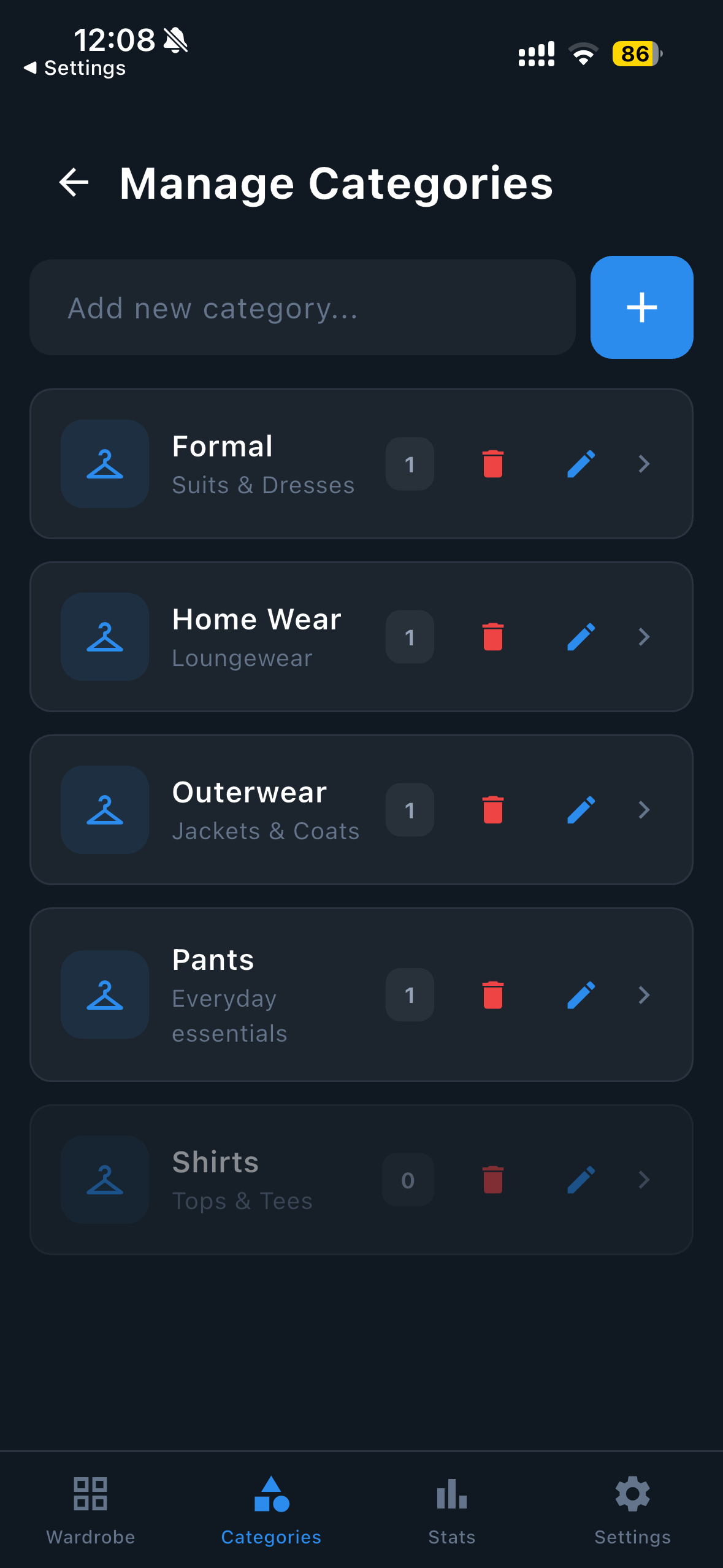
WashDrobe Dashboard with color-coded wear tracking

Smart Categories & Filters

Organize your wardrobe by type — pants, shirts, jackets, or any custom category you create. Find exactly what you need with powerful filters by category, wear count, wash status, favorites, and more.

See how it works →
WashDrobe categories and filtering

100% Offline & Private

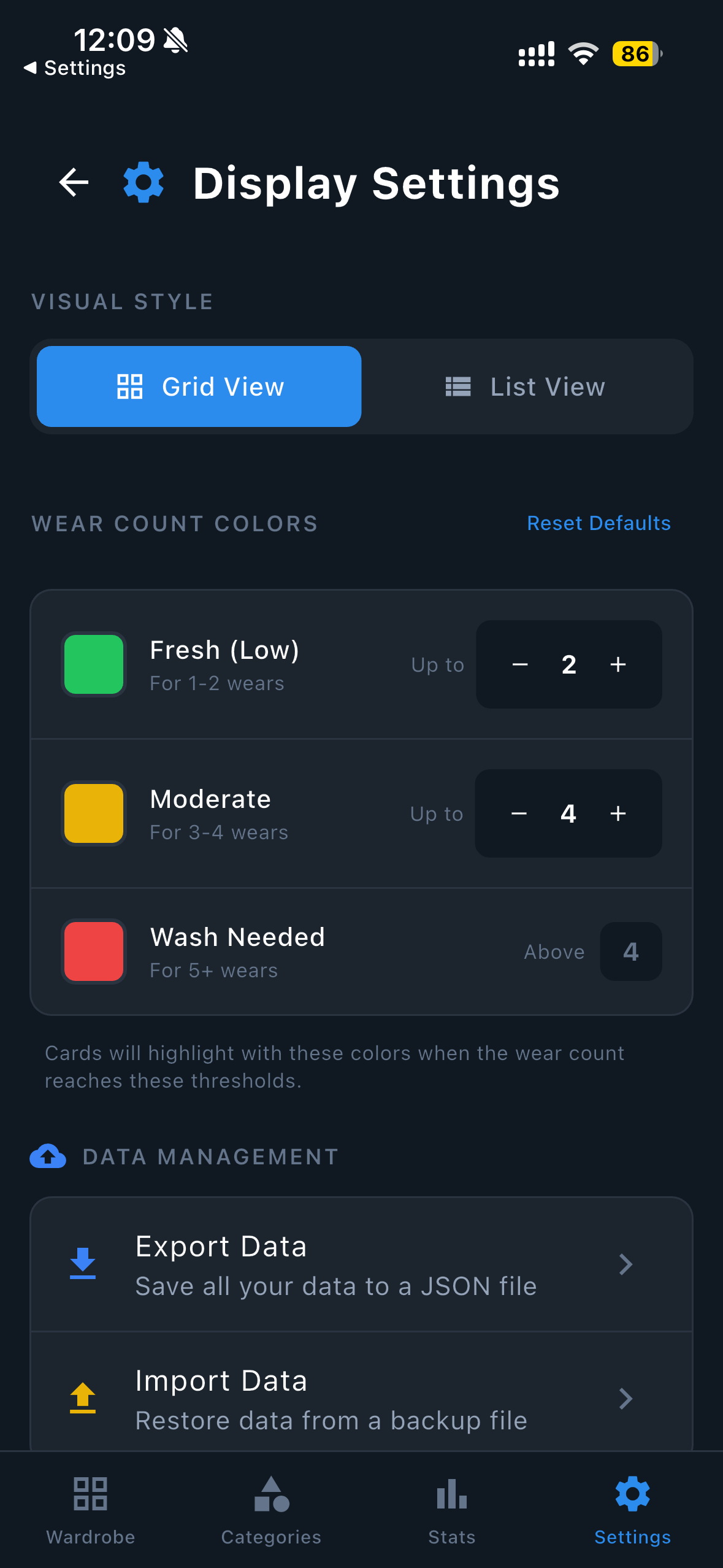
All data stays on your device. No accounts, no servers, no tracking. Your wardrobe data is completely private. Export your entire wardrobe to JSON for backup, or transfer between devices with ease.

Read our privacy commitment →
WashDrobe display settings showing customization options

Never Lose Your Wardrobe Data

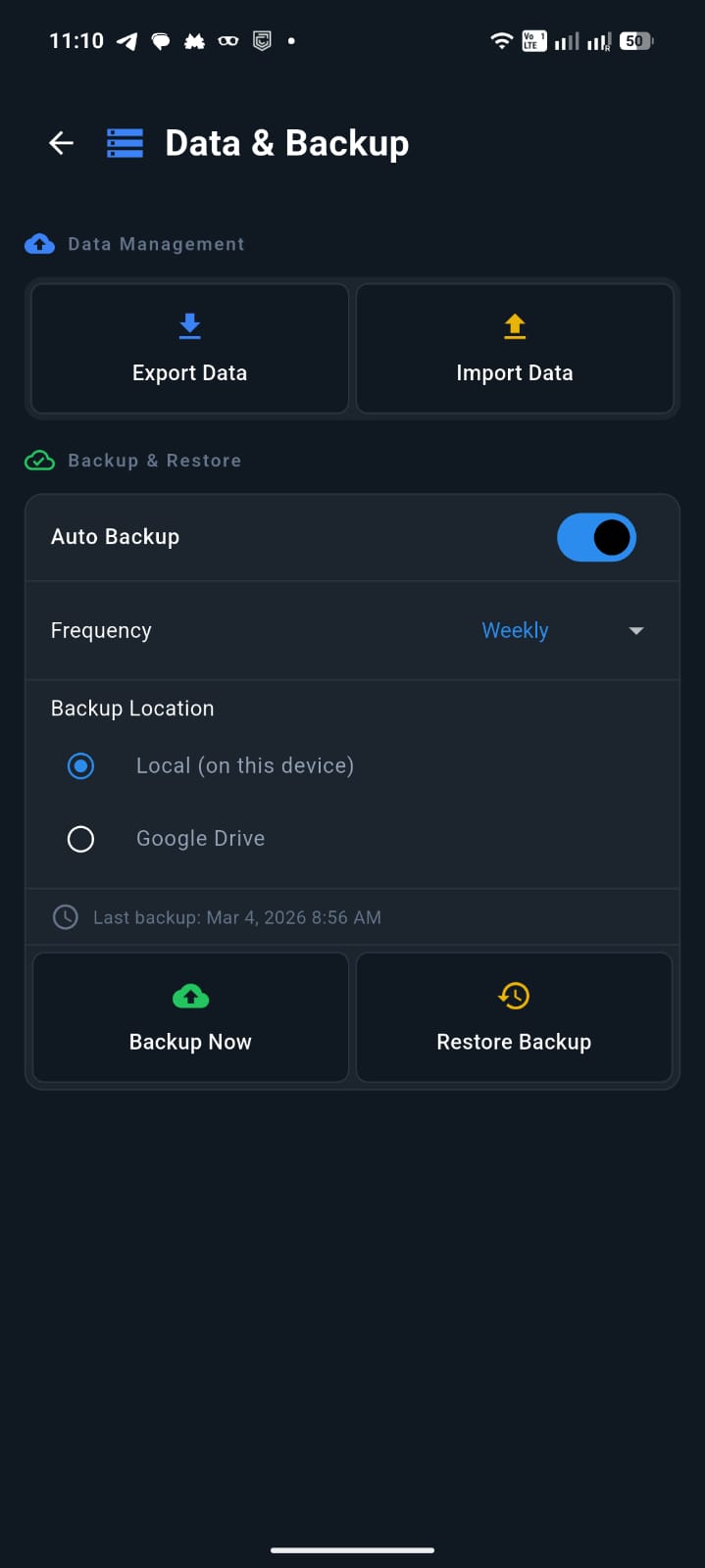
Optionally back up your entire wardrobe to your own Google Drive with one tap — or let auto-backup handle it for you (requires a Google account and internet connection). Day-to-day use of WashDrobe stays 100% offline on your device. Your backup goes straight to your personal Drive — we never see or store it.

See all features →
WashDrobe backup settings showing Google Drive and auto backup options

Everything You Need

Simple, powerful tools to track, organize, and optimize your clothing — no internet required.

👕

Wear & Wash Tracking

Track how many times you've worn each item since its last wash. One tap to log, one tap to reset.

🎨

Color-Coded Insights

See at a glance which clothes need washing. Green means fresh, yellow means getting there, red means it's time.

📁

Smart Categories

Organize by type — pants, shirts, jackets, or any custom category you create.

🔍

Advanced Filtering

Find exactly what you need with powerful filters by category, wear count, wash status, and more.

📊

Usage Statistics

See which items you wear most, which ones are gathering dust, and make smarter decisions.

❤️

Favorites

Mark your go-to items for quick access. Filter to show only your most-loved pieces.

🌍

Multiple Languages

Available in English, Spanish, and German — more languages coming soon.

💾

Import & Export

Full control over your data. Export to JSON for backup, or transfer between devices.

☁️

Google Drive Backup

Back up your wardrobe to your own Google Drive. Sign in with Google, back up with one tap, and restore anytime on any device.

Auto Backup

Schedule automatic backups — daily, weekly, or monthly — so your data is always safe without thinking about it.

🔒

100% Offline & Private

All data stays on your device. No accounts, no servers, no tracking.

📱

Cross-Platform

Available on iOS, Android, and Web. Same familiar interface across all your devices.

🖼️

Photo & Receipt Storage

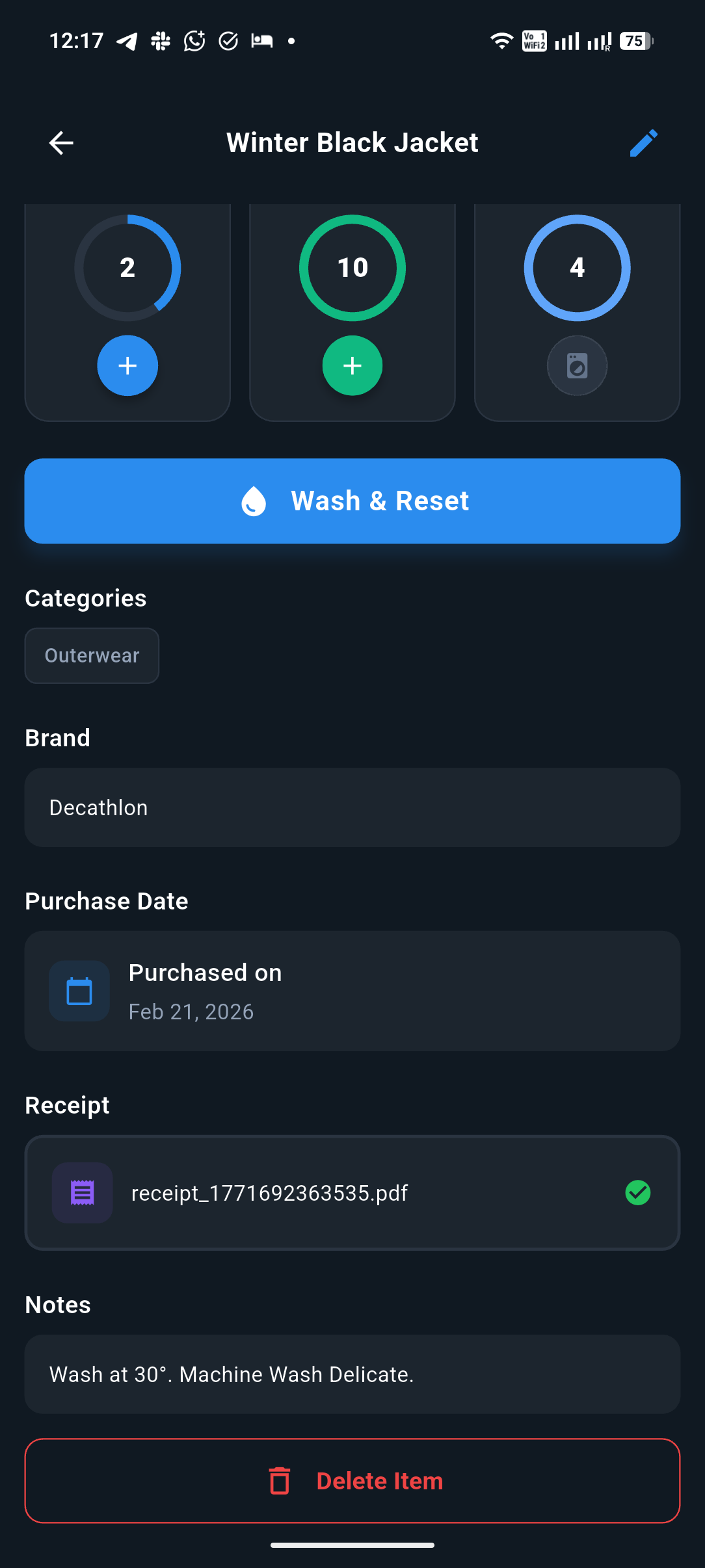
Attach photos of clothing items and purchase receipts — all stored locally on your device.

See WashDrobe in Action

A clean, intuitive interface designed for effortless wardrobe management.

Dashboard
Dashboard view 2
Categories
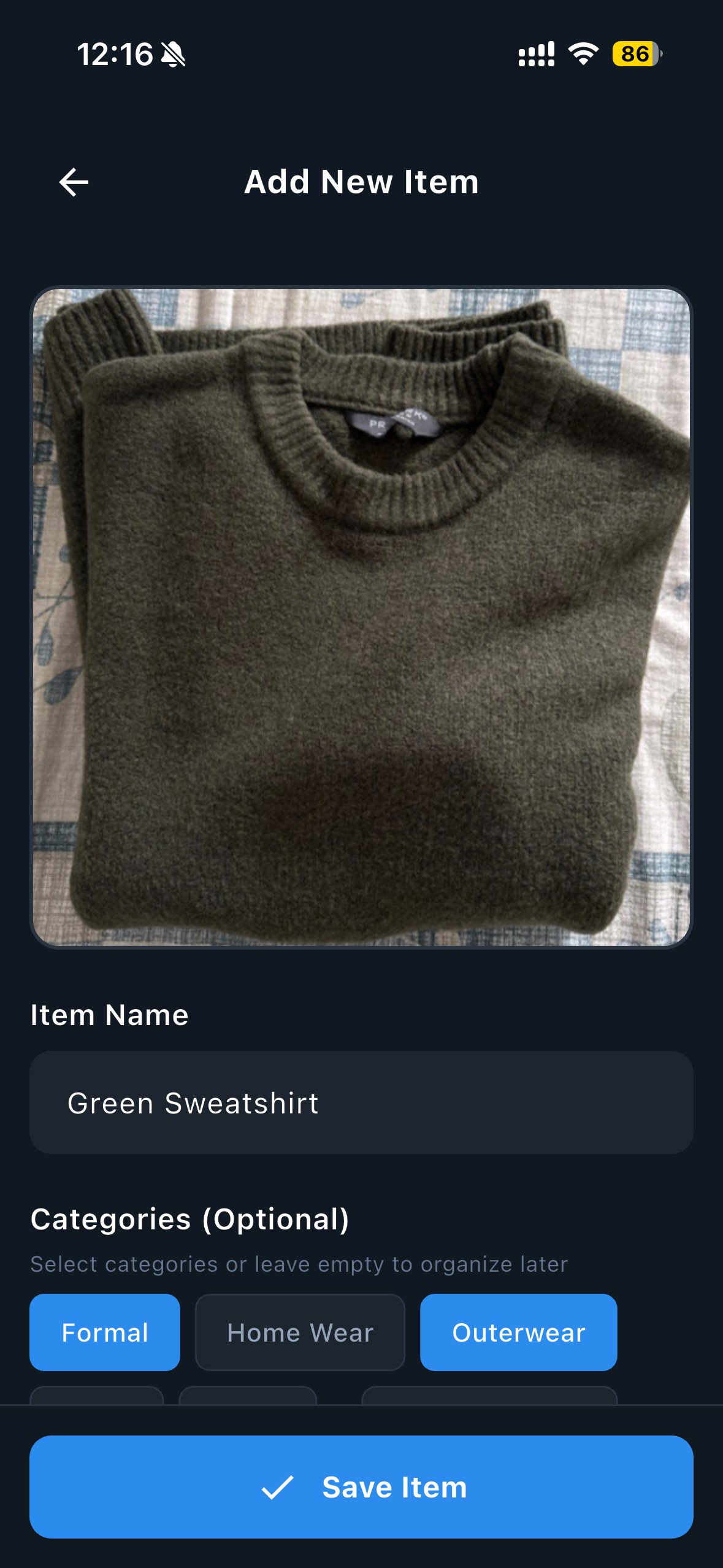
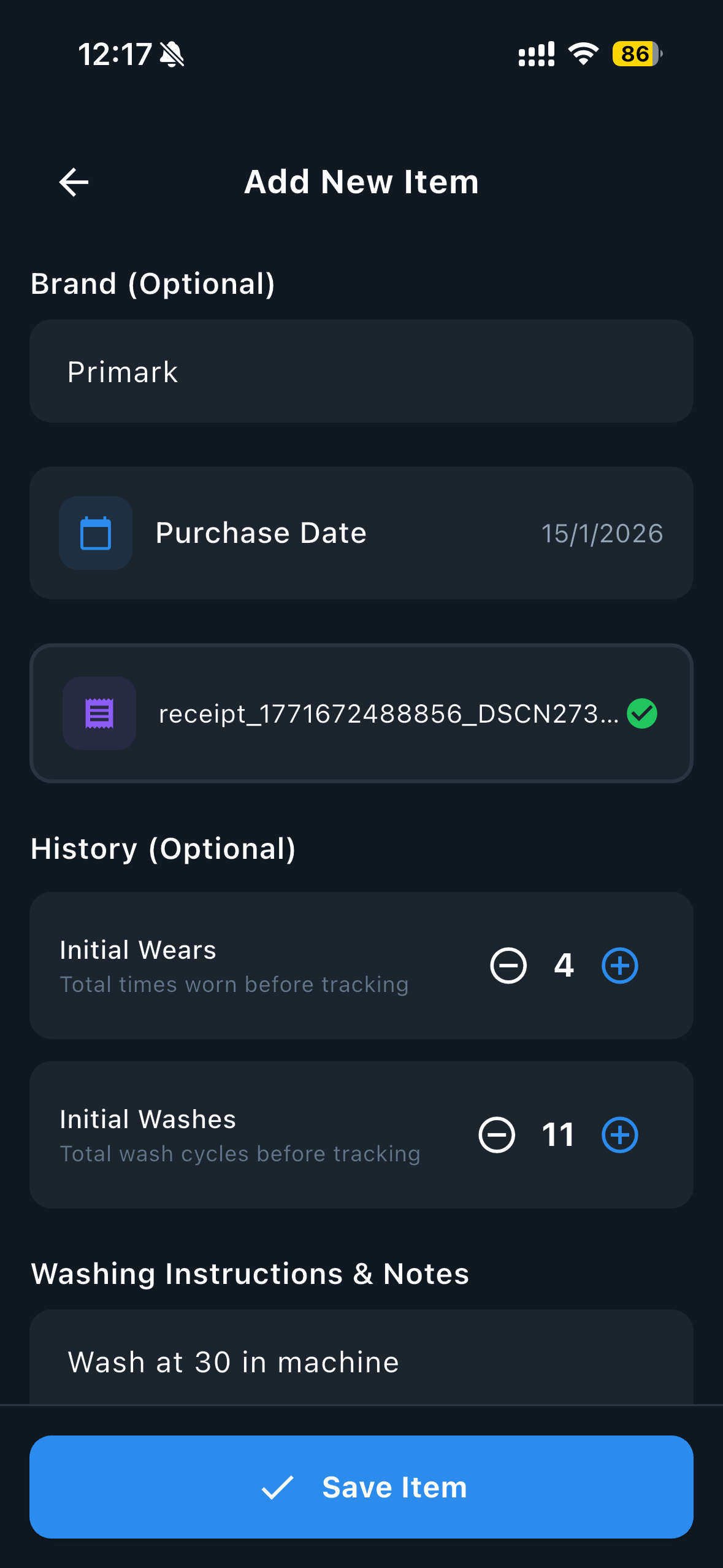
Add item
Add item details
Item detail
Item detail 2
Filtered view
Display settings
Backup settings

Get Started Today

Available on all major platforms. Free, forever.

App Store
Coming Soon
Google Play
Coming Soon
Try the Web App Now →

Install WashDrobe on Your iPhone

Native iOS app is coming soon! Until then, add the web app to your Home Screen for a full app-like experience.

1

Open in Safari

Visit the WashDrobe Web App using Safari on your iPhone or iPad. This won't work from Chrome or other browsers.

2

Tap the Share Button

Tap the Share icon (the square with an upward arrow) at the bottom of Safari.

3

Add to Home Screen

Scroll down and tap "Add to Home Screen". Give it a name (or keep "WashDrobe") and tap Add.

4

Launch Like a Native App

You'll now see WashDrobe on your Home Screen. Tap it to open — it runs full-screen, just like a real app!

⚠️

Important: Open the App at Least Once Every 7 Days

iOS automatically removes stored data for web apps that haven't been used in 7 days. To prevent losing your wardrobe data, simply open WashDrobe from your Home Screen at least once a week.

We also recommend backing up regularly — either by exporting your data (Settings → Export Data) or by enabling Google Drive backup for automatic, hands-free protection. Your backup goes directly to your own Google Drive — we never see or store it.